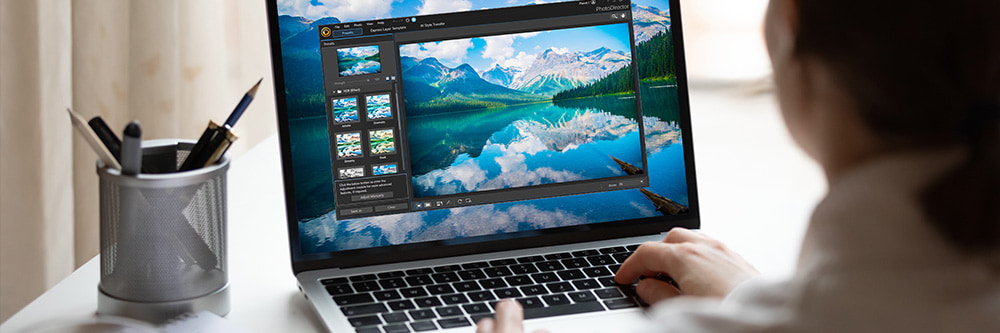
If you want to create a custom background for your phone or computer but do not know where to start, this guide is written for you. You do not need design experience, a paid subscription, or specialized software to make something that looks polished and personal. By the end of this article, you will know exactly what to look for in a background creation platform, how to evaluate your options side by side, and which tools are worth your time depending on how and where you work.
Why the Platform You Choose Actually Matters
Not all background makers are built the same way. Some are desktop-only and require a browser with a strong internet connection. Others are mobile-first but lack the export quality you need for a high-resolution desktop screen. A few offer AI-powered generation, while others rely entirely on templates or manual editing. Choosing the wrong platform often means starting over somewhere else once you realize the output does not fit your screen size or the workflow feels clunky on your device.
The good news is that a new category of browser-based, device-agnostic editors has emerged over the last few years. These tools run directly in your browser, sync across devices, and offer features like one-click background removal, AI image generation, and preset size formats for both mobile and desktop. This article focuses on how to evaluate those tools so you walk away with a clear choice that fits your needs.
What to Look For in a Wallpaper Maker: 8 Evaluation Criteria
Before comparing any specific platforms, it helps to have a consistent checklist. Use these eight criteria to evaluate any background creation tool you come across.
1. Cross-Device Access The best wallpaper makers work equally well on a phone browser, a tablet, and a desktop computer. Look for tools that are fully responsive and do not require a download or app install to function. Cloud sync is a strong bonus, since it means you can start a background on your phone during your commute and finish it on your laptop at home.
2. Preset Size Options for Desktop and Mobile Desktop wallpapers and mobile screensavers have different aspect ratios. A desktop monitor is typically 16:9 or 16:10, while a phone screen is usually 9:16. A good tool should let you select your device type or resolution before you start, so you are not manually resizing or cropping after the fact.
3. Template Library Quality and Range Templates are the fastest path to a finished background, especially if you are not starting from a strong creative concept. Evaluate the variety (abstract, photography, illustrated, minimal, seasonal), the update frequency, and whether templates are separated by use case, such as wallpaper versus Zoom background versus screensaver.
4. AI Generation Capabilities Several platforms now offer text-to-image AI built directly into the editor. This is particularly useful when you have a specific mood or concept in mind but cannot find a matching template. Evaluate whether the AI output can be directly edited, resized, or layered with other elements, or whether it is just a starting image you download and use as-is.
5. Photo Upload and Stock Integration If you want to use a personal photo as the base of your background, the platform needs to handle uploads cleanly, ideally without compressing the image into a lower resolution. Stock content libraries are a useful complement, especially for users who want professional-looking results without using their own photos.
6. Editing Simplicity One-click edits matter more than a long list of features when you are trying to move quickly. Look for tools that make common tasks like adjusting brightness, removing a background from a photo, adding text overlays, or changing a color palette possible in a single tap or click. Avoid platforms that bury basic adjustments behind advanced settings menus.
7. Export Quality and Format Options Your finished background should export at a resolution high enough for your screen without visible pixelation. Check whether the platform allows PNG exports (which preserve quality better than JPEGs for graphics-heavy designs), and whether the free tier includes full-resolution downloads or reserves that for paid plans.
8. Saving and Revisiting Your Work A platform that saves your designs to a cloud account lets you come back and tweak your background later, which matters if your style or device changes. Platforms that only allow single-session editing without an account make it harder to iterate over time.
Online Background Editors: A Practical Comparison by Category
Browser-Based All-in-One Editors
This category of tool runs entirely in your browser and is built to handle every step of background creation, from template selection to final export, without requiring any outside software. They are typically the fastest option for users who want results without a steep learning curve.
The advantages of browser-based editors include universal device access, automatic saving to the cloud, and large template libraries that are updated regularly. Most of these tools also offer both desktop and mobile wallpaper size presets, which saves time compared to manually entering dimensions.
The main thing to watch for is feature gating on the free tier. Some platforms advertise themselves as free but restrict high-resolution exports, remove watermarks only on paid plans, or limit access to AI features unless you upgrade. Always test the export process on a free account before committing.
AI-Powered Generative Editors
Generative AI editors let you type a description and receive a fully rendered background image in seconds. These are ideal for users who have a specific aesthetic in mind but lack the time or skill to build it from scratch using design tools.
The quality gap between platforms in this category is significant. Some generators produce sharp, detailed results that look professionally rendered, while others produce blurry or stylistically inconsistent outputs. Most importantly, evaluate whether the AI feature is integrated into a broader editor (so you can modify the output) or whether it simply produces a download with no further editing options.
AI generation is also particularly useful for abstract or illustrated wallpapers, seasonal themes, and custom color palette-based backgrounds. For photorealistic results based on personal images, it is usually better to use a photo upload editor rather than relying on generation alone.
Mobile-First Screensaver Apps
Some background makers are designed primarily for mobile use and offer dedicated screensaver or lock screen editing workflows. These apps tend to have intuitive touch interfaces and often include live wallpaper or animated screensaver options that browser-based editors do not.
The tradeoff is that mobile-first apps often lack the desktop wallpaper functionality, and their output may not be optimized for larger screens. If your primary use case is a phone screensaver and you do not need desktop compatibility, these apps can be a strong fit. If you need both, a cross-platform browser tool is almost always the better choice.
Design-Forward Editors with Background Templates
Some platforms position themselves as general graphic design tools that happen to include background and wallpaper templates among their many template categories. These editors tend to have more robust typography and layout controls, which makes them a better fit for backgrounds that incorporate text, like motivational quotes, name-based wallpapers, or aesthetic mood boards.
The depth of these tools can also be a drawback. If you just want a clean abstract background in a specific color palette, the extra features can add friction. Look for tools in this category that let you jump directly to wallpaper templates without navigating through unrelated design categories first.
Adobe Express as One Strong Option to Consider
If you want a straightforward way to make a custom background for any device, Adobe Express is one platform worth evaluating closely. A few specific features make it stand out from a functional standpoint.
First, it supports one-click edits from any device, which means the editor is fully usable on a phone, tablet, or computer without a degraded experience on any of them. You can start a design on your phone and pick it back up on a desktop without losing your work or reformatting anything. Second, it includes a generative AI feature that lets you describe a background and generate one directly inside the editor, and the result can be further customized using the same editing tools available for templates. Third, the platform separates its template library into desktop and mobile wallpaper categories from the start, so you are always working in the correct aspect ratio for your target device.
Adobe Express also allows you to upload personal photos or PSD and Illustrator files if you want to incorporate existing assets, and it connects to Adobe Stock for royalty-free photo and video content. The free tier is functional for most everyday wallpaper creation needs, and the learning curve is low enough that most users can produce a finished background in under ten minutes on their first attempt.
FAQ: Wallpaper Makers and Online Background Editors
What is the difference between a wallpaper and a screensaver, and does it affect which tool I use?
A wallpaper is the static image displayed as the background on your phone’s home screen or your computer’s desktop. A screensaver is a separate image or animation that appears when your device has been idle for a period of time. In practice, most online background editors focus on wallpaper creation, since screensavers, especially animated ones, require more specialized software or app-based tools. When evaluating a platform, check whether it exports at the correct resolution for your specific device model, since a 1080p wallpaper looks noticeably different from a 4K one on a higher-resolution screen. For most users, wallpaper creation tools are sufficient, and true animated screensaver creation is a separate workflow handled by system-level or app-based tools.
Can I use my own photos to make a custom background without design experience?
Yes, most modern browser-based editors are designed specifically for non-designers and make photo-based wallpaper creation straightforward. The typical workflow involves uploading your photo, selecting a preset size for your device, adjusting the crop or positioning, and optionally adding text or filters before exporting. Some platforms also offer one-click background removal, which is useful if you want to place a specific subject from one photo onto a colored or patterned background. The key thing to check is whether the platform compresses your photo during upload, since a heavily compressed starting image will result in a pixelated wallpaper, especially on high-resolution screens.
Are free wallpaper maker tools actually free, or do they restrict the best features?
Most platforms offer a genuinely usable free tier, but there are common restrictions to watch for. High-resolution exports are frequently gated behind paid plans, meaning the free version might produce a background at a lower resolution than your screen requires. Some tools also watermark downloads on the free tier, or limit access to premium templates and AI generation to paying subscribers. Before committing to a platform for ongoing use, test the complete export process on a free account, specifically downloading a finished design at full resolution and checking the output quality on your actual device. Tools that offer a fully functional free tier with full-resolution PNG downloads tend to be the best starting point for casual users.
What resolution should my wallpaper be for it to look sharp on my device?
Resolution requirements vary by device. Most modern smartphones require a wallpaper of at least 1080 x 1920 pixels (1080p portrait), while flagship phones with higher-density screens benefit from 1440 x 3120 pixels or similar. Desktop monitors range widely, with standard 1080p monitors needing 1920 x 1080 pixels, while 4K monitors require 3840 x 2160 pixels. Many online editors handle this by offering preset size options tied to device type rather than requiring you to enter exact pixel dimensions. If you are unsure of your screen resolution, you can check it in your device’s display settings. A useful reference for understanding display resolutions across different screen types is this HP guide to screen resolution, which covers how resolution affects image quality and how to check your current settings on any device.
How do I keep my wallpaper looking consistent across multiple devices if I use different screen sizes?
The most practical approach is to create your background at the largest resolution you need, then export separate versions cropped or resized for each device. Some platforms automate this with a multi-format export feature, letting you download the same design in desktop, tablet, and phone dimensions at once. If you manage your backgrounds across several devices, a cloud-connected editor is especially valuable because it keeps all your versions in one place and makes updates easy. It also helps to choose designs that scale well, meaning backgrounds with centered focal points tend to crop more gracefully than asymmetric layouts when adjusted for different aspect ratios. Abstract patterns, gradient-based designs, and full-bleed photos with centered subjects all tend to transfer well across device sizes without requiring significant rework.
What to Do Next
Choosing the right online background maker comes down to two things: where you need to work and how much control you want over the final result. If you primarily use a phone and want a quick screensaver edit in under five minutes, a mobile-responsive browser editor with preset templates will serve you well. If you want to create something more customized, using your own photos, specific fonts, or AI-generated imagery, look for a platform that handles all of those inputs within the same editor rather than requiring you to combine tools.
The criteria in this article, cross-device access, preset sizing, template quality, AI capability, photo upload support, editing simplicity, export resolution, and cloud saving, give you a practical framework for evaluating any tool you come across. Test the full workflow on a free account before you invest time building a library of saved designs in any single platform. The best wallpaper maker is the one that fits your device, your schedule, and the kind of creative output you are actually trying to make.